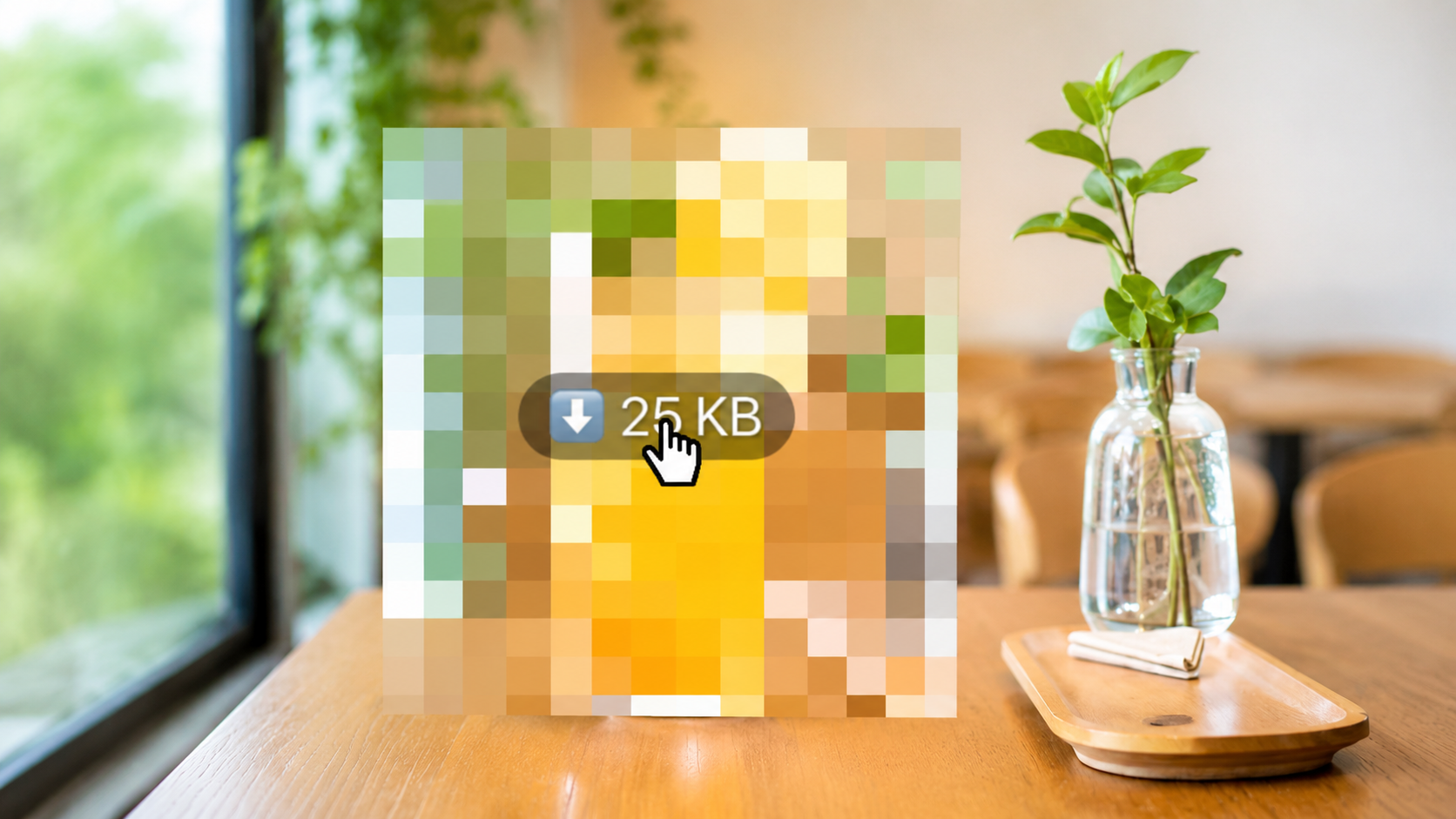
That mosaic reveal trend you keep seeing on Instagram?
You can make it with your own photo, too.
The idea is simple. Your image starts with a mosaic-covered look, then changes into a clean reveal. It creates a quick “before and after” moment that feels satisfying, trendy, and easy to watch.
You can use this style for product photos, personal photos, promotions, portfolio posts, or any image you want to reveal in a more eye-catching way.
Create a Mosaic Reveal with Your Own Photo
Add your photo in VDIT and turn it into a reveal video in just a few taps.
What Is the Mosaic Reveal Trend?
The mosaic reveal trend hides an image at first, then reveals the original version after a tap or click-style transition.
Instead of showing the final image right away, the mosaic effect creates curiosity. Viewers naturally want to see what is behind the blur, so the reveal feels more engaging.
This makes it useful for short social media videos, especially when you want to turn one simple photo into a more dynamic post.
When to Use This Effect
This edit works well when you want to show a clear transformation or make a simple image feel more interesting.
You can use it for:
- Product reveal videos
- Before and after content
- Promotion posts
- Brand or portfolio previews
- Instagram Reels, TikTok, and Shorts
- Photo template content
For example, you can start with a mosaic-covered product image, then reveal the full photo in seconds. Or you can use it to show a design, outfit, travel photo, or edited result in a more interactive way.
How to Make a Mosaic Reveal Video in VDIT
You do not need complicated editing to recreate this look.
With VDIT’s [Template] feature, you can make the mosaic reveal effect by simply adding your own image to a ready-made template.
Here is how it works:
Firts, open VDIT and choose a mosaic reveal-style [Template].

Then, tap the [Use] button.

Add your photo and tap the [create] button.

The template already includes the mosaic look, reveal timing, and motion structure. You only need to swap in your photo and make the trend your way.
Ready to make your own Mosaic Reveal?
Download VDIT, choose a Mosaic Reveal template, and add your photo in a few taps.
Why Templates Make This Easier
Creating a reveal effect manually can take time. You may need to add blur or mosaic layers, match the timing, create a tap-style transition, and adjust the reveal moment.
A template makes the process much simpler. The layout and motion are already built, so you can focus on choosing the right image.
This is especially helpful when you want to create quick social media content without spending too much time editing from scratch.
Tips for a Better Mosaic Reveal
Use a photo with a clear subject. Product shots, portraits, food photos, travel images, and design previews work especially well.
Keep the reveal short and clean. If the mosaic part lasts too long, viewers may lose interest.
You can also add short text like “Tap to reveal,” “Guess what’s next,” or “Before & After” to make the video feel more interactive.
Final Thoughts
The mosaic reveal trend is a simple way to turn one photo into a more engaging video. It works because it builds curiosity first, then gives viewers a clean reveal moment.
With VDIT’s [Template] feature, you can create this look quickly using your own image. Just drop in a photo, preview the effect, and export your reveal video in seconds.
Turn one photo into a short reveal video that makes people stop and look.



Leave a Reply